mirror of
https://github.com/kaka111222333/kaka111222333.github.io.git
synced 2025-12-18 15:54:37 +08:00

69 lines
3.3 KiB
Markdown
69 lines
3.3 KiB
Markdown
---
|
||
layout: post
|
||
title: "推荐一款github代码在线浏览神器sourcegraph"
|
||
date: 2020-1-27
|
||
tags: [后台开发]
|
||
comments: true
|
||
author: lemonchann
|
||
---
|
||
|
||
程序员逛github已经是每日必须项目,看到感兴趣的项目都会点进去看一下,github全球最大的同性交友平台,这里有海量的开源代码库,作为开源代码管理平台github是非常专业的。
|
||
|
||
但是,你要在上面看代码就不是那么舒服了,特别是点进去每个文件夹浏览文件非常的不方便,大工程文件之间的切换有时候网页加载特别慢非常不方便。
|
||
|
||
推荐这款我用的这款Google浏览器插件,安装之后让在线浏览github项目源码,查找引用和定义如同在IDE看代码一样,体验如丝滑般舒爽。
|
||
|
||
## 安装
|
||
|
||
进入[Google应用商店](https://chrome.google.com/webstore/category/extensions?utm_source=chrome-ntp-icon) 搜索sourcegraph下载安装插件,如下图:
|
||
|
||

|
||
|
||
点击,**添加至Chrome**,即可在项目中使用。
|
||
|
||
|
||
|
||
## 使用
|
||
|
||
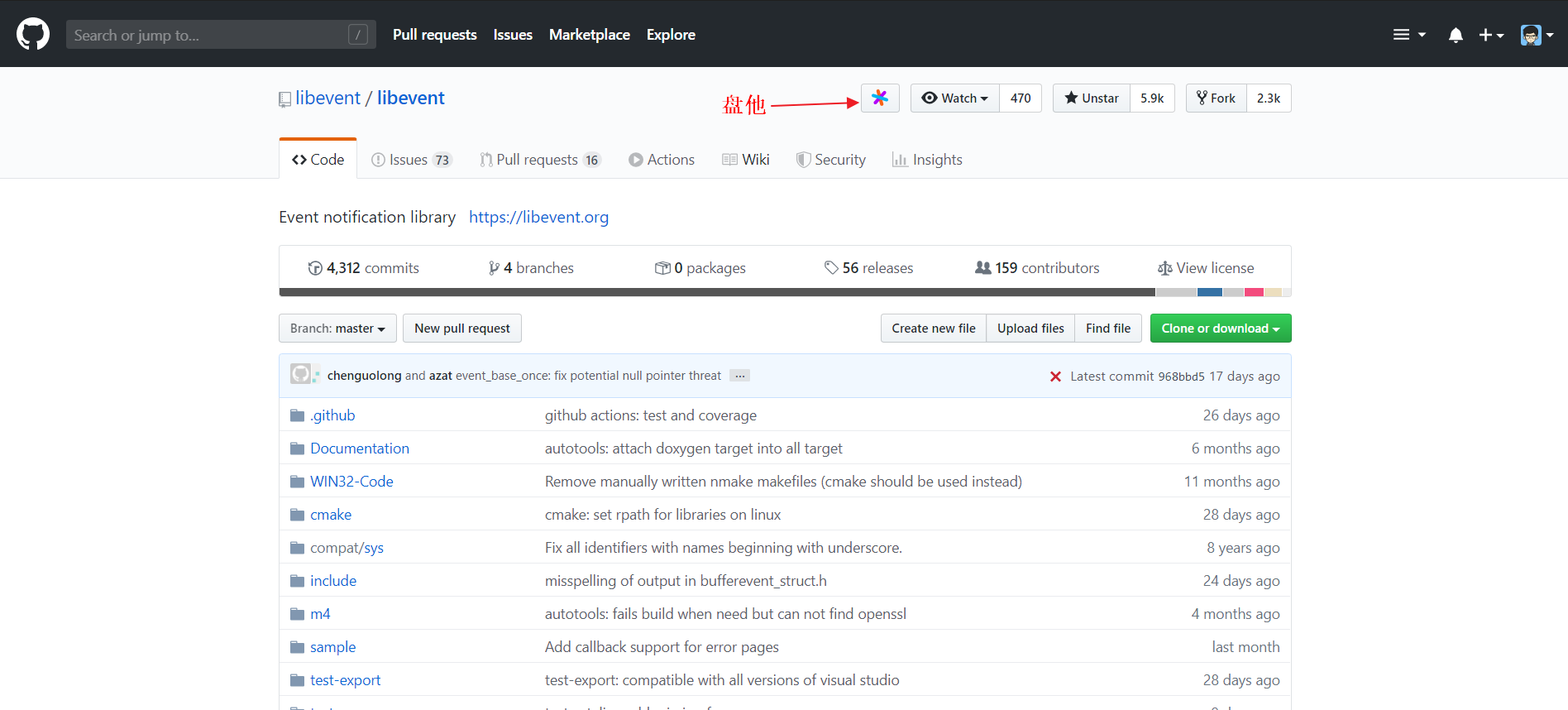
打开github上任意一个项目,点击项目上方的Sourcegraph图标,即可进入代码浏览界面。
|
||
|
||
|
||
|
||
代码浏览界面的左侧是代码目录结构,就跟一般的IDE工程视图一样,你可以很轻松的在各个文件夹中查看文件,不用像在github那样来回前进后退,望着网页加载进度发呆。
|
||
|
||

|
||
|
||
鼠标单击相应的函数,出现的选项框可以选择跳转到定义
|
||
|
||

|
||
|
||
也可选择查找所有引用
|
||
|
||

|
||
|
||
|
||
|
||
## 离线安装
|
||
|
||
鉴于有些同学由于众所周知的原因,不方便去Google应用商店下载,这里再说说离线安装的方法
|
||
|
||
- 进入Chrome插件中心,浏览器输入 [chrome://extensions/](chrome://extensions/)
|
||
- 打开开发者模式开关
|
||
|
||

|
||
|
||
- 下载我提供的插件安装包 `20.2.5.1810_0.rar` ,安装包在公众号【柠檬的编程学堂】回复【插件】获取,解压放到插件文件夹路径,比如我的路径:
|
||
|
||
`C:\Users\替换成你的电脑用户名\AppData\Local\Google\Chrome\User Data\Default\Extensions`
|
||
|
||
- 打开浏览器插件中心,打开 **开发者模式**,选择 **加载已解压的扩展程序**,即可完成安装。
|
||
|
||

|
||
|
||
|
||
|
||
以上,这款好用的插件分享给大家,愉快的在github玩耍吧!
|
||
|
||
|
||
|